oks-ui
SplitLayout component
SplitLayout is a resizable multi-pane frame for email three-pane layouts, master–detail views, and split editors. Dividers are keyboard-resizable and panes can be collapsed.
Playground
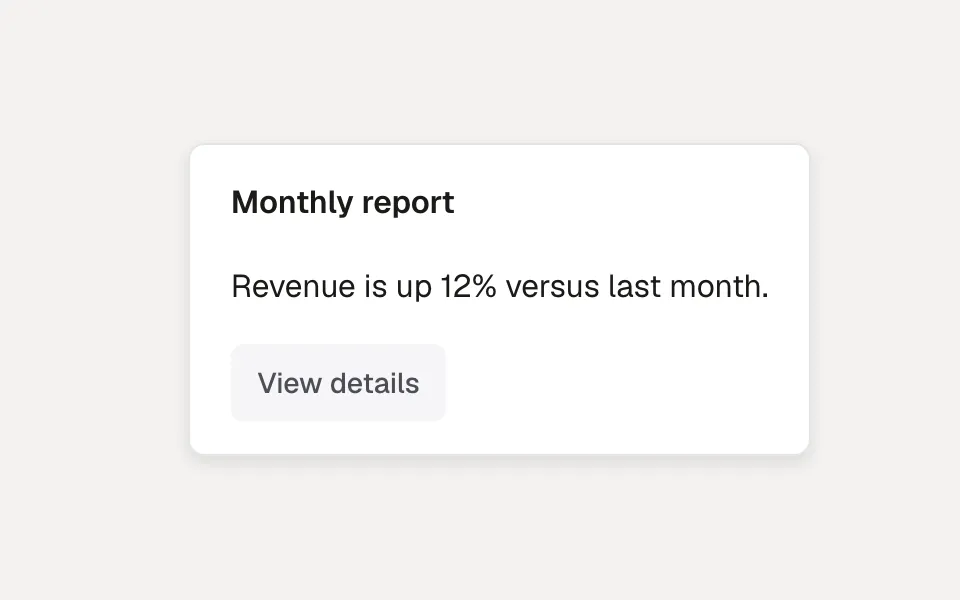
Change a prop on the right and the preview updates. Switch to Code to copy what you see.
Recipes
Copy-paste patterns for the ways SplitLayout actually gets used — each one a real, self-contained example.
Master–detail
Two panes with a keyboard-resizable divider — a sized list on the left, a flexible detail pane on the right. Set isResizable on the pane you want draggable.
<SplitLayout aria-label="Records">
  <SplitPane defaultSize={260} minSize={200} isResizable label="list">
    <RecordList />
  </SplitPane>
  <SplitPane>
    <RecordDetail />
  </SplitPane>
</SplitLayout>
Three-pane
A classic mail layout: a collapsible folder rail, a resizable message list, and a flexible reading pane.
<SplitLayout aria-label="Mailbox">
  <SplitPane defaultSize={200} minSize={140} isResizable isCollapsible label="folders">
    <Folders />
  </SplitPane>
  <SplitPane defaultSize={320} minSize={240} isResizable label="messages">
    <MessageList />
  </SplitPane>
  <SplitPane>
    <Reader />
  </SplitPane>
</SplitLayout>
Vertical split
direction="vertical" stacks panes with a horizontal divider — an editor above, a preview or console below.
<SplitLayout direction="vertical" aria-label="Editor">
  <SplitPane defaultSize={220} minSize={120} isResizable label="editor">
    <Editor />
  </SplitPane>
  <SplitPane minSize={80}>
    <Preview />
  </SplitPane>
</SplitLayout>
Example
<SplitLayout>
  <SplitPane defaultSize={260} minSize={200}>
    <MailboxList />
  </SplitPane>
  <SplitPane>
    <MessageView />
  </SplitPane>
</SplitLayout>
Props
The full public API for SplitLayout. Every prop is stable and intentionally typed.
Layout & positioning
| Prop | Type | Default | Description |
|---|---|---|---|
| direction | "horizontal" | "vertical" | horizontal | Arrange panes as columns or rows. |
| defaultSize | number | string | — | Initial size — px or a CSS length ("32%"). Omit to flex and fill. |
| collapsedSize | number | 0 | Size when collapsed. |
direction
"horizontal" | "vertical"
default: horizontal
Arrange panes as columns or rows.
defaultSize
number | string
default: —
Initial size — px or a CSS length ("32%"). Omit to flex and fill.
collapsedSize
number
default: 0
Size when collapsed.
Behavior & states
| Prop | Type | Default | Description |
|---|---|---|---|
| sizes | Array<number | null> | — | Controlled pane sizes in px (null for the flex pane). Pair with onResize. |
| onResize | (sizes) => void | — | Fires on drag, keyboard resize, or collapse. |
| keyboardStep | number | 24 | px moved per arrow-key press on a handle. |
| minSize / maxSize | number | 80 / — | px clamp while resizing. |
| isResizable | boolean | false | Show a drag handle on this pane's trailing edge. |
| isCollapsible | boolean | false | Collapse when dragged past ~60% of minSize, or on Enter/Space on the handle. |
| isCollapsed / defaultCollapsed / onCollapsedChange | — | — | Controlled / uncontrolled collapse. |
sizes
Array<number | null>
default: —
Controlled pane sizes in px (null for the flex pane). Pair with onResize.
onResize
(sizes) => void
default: —
Fires on drag, keyboard resize, or collapse.
keyboardStep
number
default: 24
px moved per arrow-key press on a handle.
minSize / maxSize
number
default: 80 / —
px clamp while resizing.
isResizable
boolean
default: false
Show a drag handle on this pane's trailing edge.
isCollapsible
boolean
default: false
Collapse when dragged past ~60% of minSize, or on Enter/Space on the handle.
isCollapsed / defaultCollapsed / onCollapsedChange
—
default: —
Controlled / uncontrolled collapse.
Styling
| Prop | Type | Default | Description |
|---|---|---|---|
| classNames | { base?, pane?, handle? } | — | Slot classes. |
classNames
{ base?, pane?, handle? }
default: —
Slot classes.
Accessibility
| Prop | Type | Default | Description |
|---|---|---|---|
| aria-label | string | — | Names the group. |
| label | string | — | Accessible name for this pane's handle ("Resize <label>"). |
aria-label
string
default: —
Names the group.
label
string
default: —
Accessible name for this pane's handle ("Resize <label>").
Accessibility
- Each divider is a `role="separator"` with `aria-valuenow`/min/max and responds to arrow keys.
- A collapsed pane is removed from the tab order until it is expanded again.